Features
Your next alarm shows up before you open the app
You should not have to open an alarm app to find out when your alarm is. Almost everything Tock knows at night is a glance rather than a session.
In short
Tock puts tonight outside the app: 3 Home Screen widgets, Lock Screen and StandBy accessories, 3 Control Center tiles, 8 Live Activities, Siri App Shortcuts, 4 quick actions on the icon and a Focus filter.
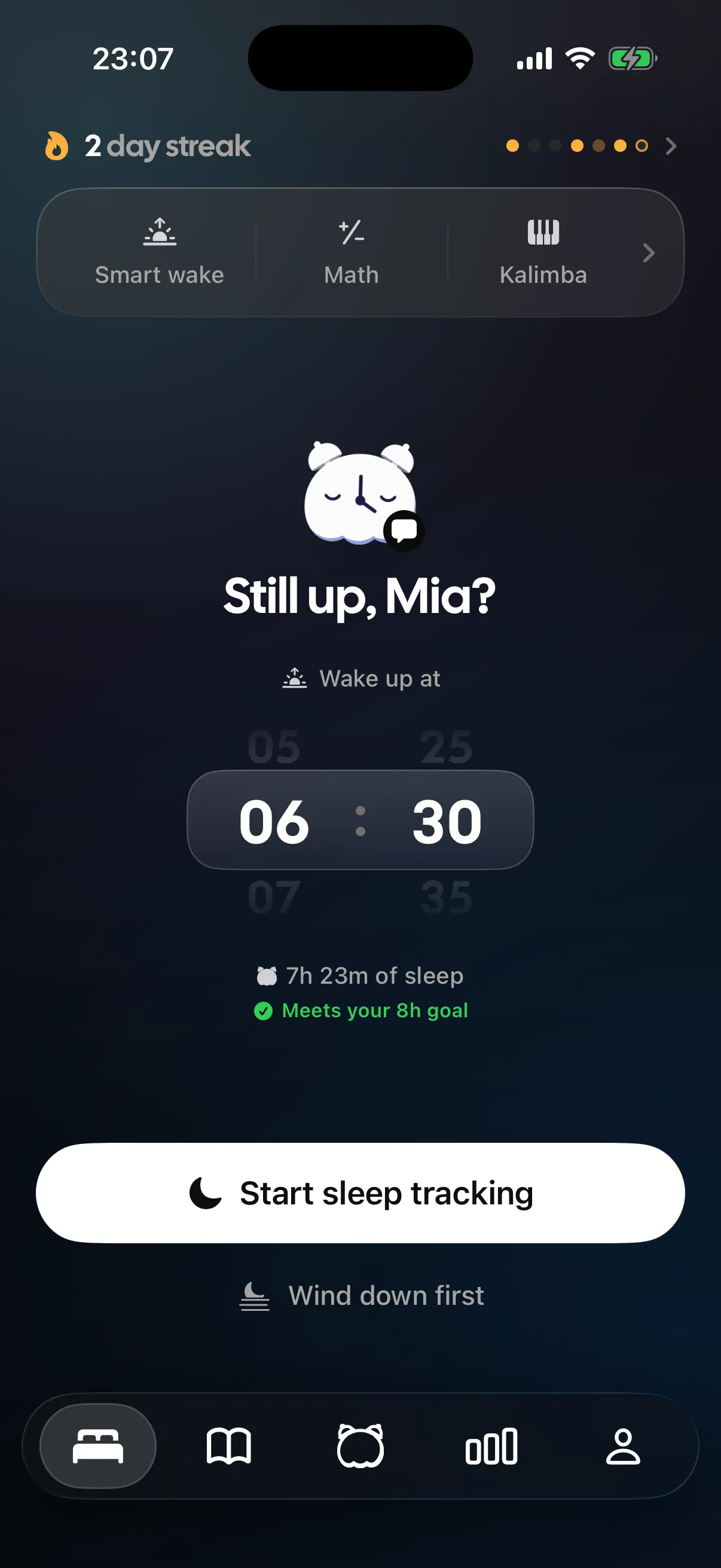
- Live Activities Tock can run
- 8Live Activities Tock can run
- Home Screen widgets
- 3Home Screen widgetsPlus Lock Screen and StandBy accessories
- Quick actions under a long press
- 4Quick actions under a long press
How it actually works
Where tonight shows up when Tock is closed
There are 3 Home Screen widgets for the daytime glance, Lock Screen and StandBy accessories for the phone lying on its side charging overnight, and 3 Control Center tiles for the things you want one swipe away rather than three taps in.
The layer that does the most work is Live Activities, and there are 8 of them. The wind-down running, the night in progress, the alarm coming up: all of it lives on the Lock Screen and in the Dynamic Island without you touching the phone. Four quick actions sit under a long press on the app icon, Siri App Shortcuts let you start a night by voice, and a Focus filter means Sleep Focus can put Tock into its night self without you doing it by hand.
- Home Screen, Lock Screen, StandBy and Control Center are all covered
- Live Activities carry the night while the phone stays locked
- A Focus filter ties Tock to Sleep Focus, so the switch happens on its own
Widgets show what Tock already knows. The tracking itself runs in the app, not in the widget.
StandBy is the one to set up first
A phone on its side on a charger, next to the bed, is exactly the situation StandBy was built for and exactly where an alarm app should be visible. Set that up before anything else, because it is the widget you will actually look at, usually at 3am, wanting to know how long is left.
What to put in Control Center
Control Center is for the things you want with a wet hand or a face in a pillow, not for the things you want to browse.
- Starting the night, which is the one you will use every day
- Wind-down, if you run it at a consistent time
- Sounds, if you are the kind of person who changes the mix at midnight
Letting Sleep Focus do the switching
The Focus filter is the least visible thing here and the most useful. Once Sleep Focus and Tock are tied together, going to bed stops being a sequence of taps and starts being one thing your phone already knew you were doing.
Where it stops
Every feature has an edge. Better you read it here than find it at six in the morning.
- Widgets show state. Starting a night, running wind-down and playing back clips still happen in the app.
- iOS decides how often a widget refreshes, so a Home Screen widget can lag the app by a few minutes.
- StandBy needs the phone charging, on its side and locked. It is a nightstand feature, not an all-day one.
- Siri App Shortcuts depend on Siri being available on the device and set up.
Questions people ask
Can I start the night without opening Tock?
Yes. There is a Control Center tile and a Siri App Shortcut for it, plus quick actions on the app icon.
What do the Live Activities show?
The parts of the night that are in progress, including wind-down, the tracked night and the alarm coming up, on the Lock Screen and in the Dynamic Island.
What does the Focus filter do?
It lets Sleep Focus switch Tock into its night behaviour automatically, so you are not toggling two things every evening.
Is there an Apple Watch app?
No. Tock is iPhone only. It reads what your Watch writes into Apple Health, but there is no app on the wrist.
The rest of the app
The parts that sit closest to this one.
- Alarm on silentTock's alarms are registered with iOS through Apple's AlarmKit framework rather than played by the app in the background. That is why they ring with the ringer off, through a Focus, with Tock closed, on the native full-screen alert.
- Smart wakeSmart wake is a 30 minute window before your alarm in which Tock watches for a lighter moment in your sleep and rings as soon as it finds one. If it never finds one, your alarm goes off at the exact time you set.
- Sleep trackingSleep tracking in Tock runs on the phone alone. The microphone and the accelerometer stay awake all night, Apple SoundAnalysis labels sounds like snoring, coughing and sleep talking on device, and the clips are saved so you can play them back in the morning.
- Wind-downWind-down is a short guided routine you run before sleep. It has 6 steps you can reorder or drop, three lengths, and a 30 second drift at the end that hands you over to the good-night screen.
Elsewhere on the site
A different corner of the same problem.
- BedtimesGoing to bed at 8:30pmWhere to put the alarm after a 8:30pm lights-out.
- Sleep by ageHow much sleep preschoolers needThe American Academy of Sleep Medicine recommends that children aged 3 to 5 years sleep 10 to 13 hours per 24 hours, including naps, on a regular basis. This is the final band where daytime sleep counts toward the total; from age 6 the figures are given per night.
- NapsThe 30 minute napA 30 minute nap frequently ends inside slow wave sleep, which produces the strongest sleep inertia of any nap length. That is the heavy, disoriented feeling that can take twenty minutes or more to clear, and it is why 20 minutes or a full 90 minute cycle are both better choices.
- Wake tonesCustom alarm soundTock comes with 18 wake tones, and if none of them suit you it takes your own audio as the alarm instead. Whatever you choose still gets scheduled through Apple's AlarmKit, so the silent switch, an active Focus and a fully closed app have no bearing on whether it rings.
- Head to headAutoSleep vs SleepScoreIf an Apple Watch is already on your wrist at night, AutoSleep is the better tracker and it asks nothing of you. If you sleep bare-wristed and want to keep it that way, SleepScore is the only one of the two that can track you at all.
- Sleep soundsFanA fan makes broadband noise from air turbulence plus a very quiet periodic thump from the blades, sitting somewhere between pink and brown in balance, which is why so many people sleep to one without ever calling it white noise. Tock uses a recording of an actual fan rather than generating it, because that blade rhythm is the thing that makes it read as a fan at all.
Your next alarm shows up before you open the app
Tock puts tonight outside the app: 3 Home Screen widgets, Lock Screen and StandBy accessories, 3 Control Center tiles, 8 Live Activities, Siri App Shortcuts, 4 quick actions on the icon and a Focus filter.