Features
Your Watch's numbers land next to what your phone heard
If you wear something to bed already, that data is sitting in Apple Health doing nothing at 7am. Tock reads it and puts it next to the night the phone recorded.
In short
Tock reads Apple Health for sleep, heart rate, resting heart rate, HRV, blood oxygen, respiratory rate and wrist temperature, and shows them on the night they belong to. It can also write its own nights back into Health, but that setting defaults to off.
- Health data types Tock can read
- 7Health data types Tock can read
- Nights written back until you switch writing on
- 0Nights written back until you switch writing onHealth writing defaults to off
- Stage bands, measured when a wearable night is available
- 4Stage bands, measured when a wearable night is available
How it actually works
What crosses the line, and in which direction
Tock has no Apple Watch app. What it has is a read connection to Apple Health, which is where your Watch, your ring or your band already writes. Grant access and Tock reads seven types: sleep, heart rate, resting heart rate, heart rate variability, blood oxygen, respiratory rate and wrist temperature. Those land on the night they belong to, sitting next to what the phone heard and measured in the room.
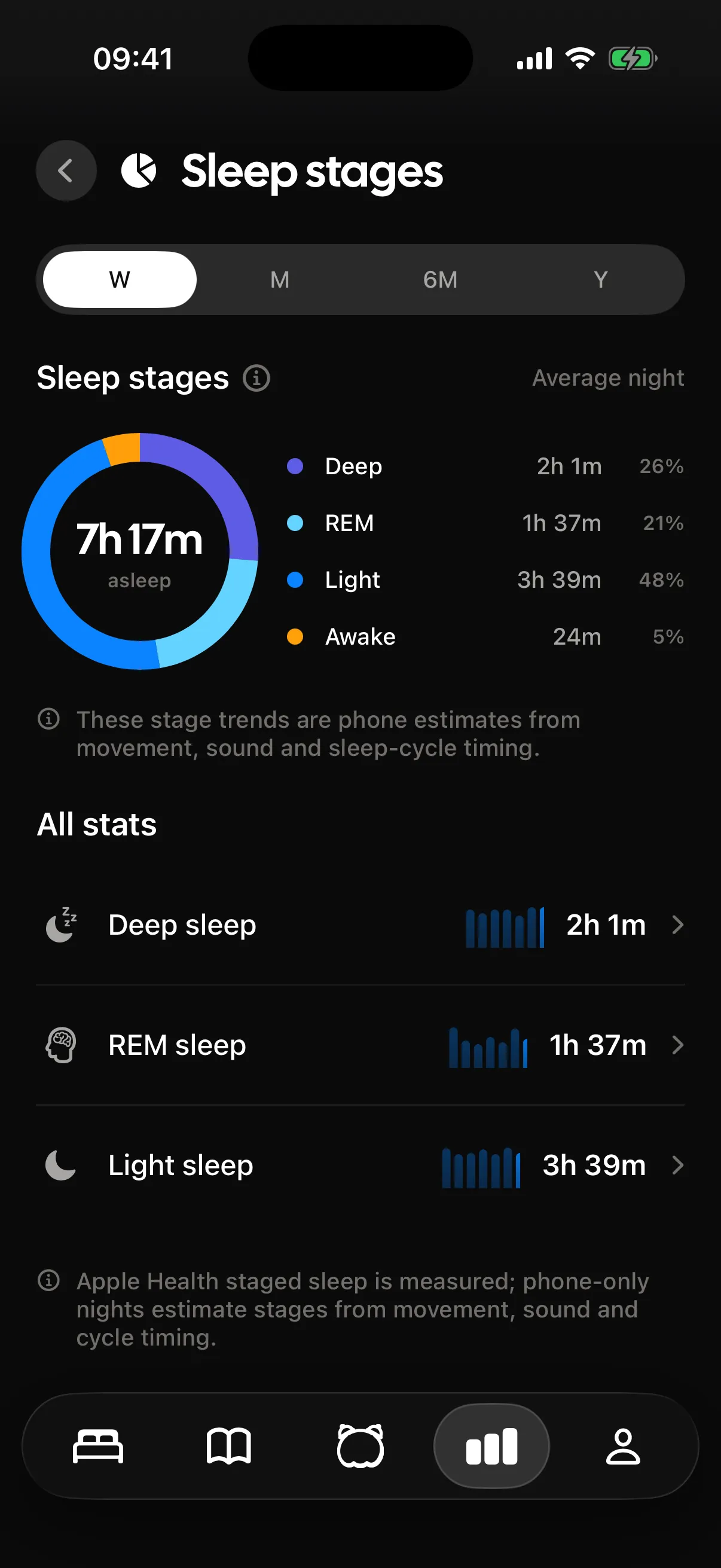
It matters most for stages. On a phone-only night Tock estimates your stages from movement, sound and cycle timing, and it says so on the screen. When Apple Health has a wearable night for the same dates, Tock uses those measured stages instead of estimating, and labels them as measured. Going the other way is off by default: Tock can write its own nights back into Health so other apps can read them, but only once you turn that on.
- Seven types read: sleep, heart rate, resting heart rate, HRV, blood oxygen, respiratory rate, wrist temperature
- Permissions are per type, granted in Apple's own Health sheet, and revocable there any time
- Writing Tock nights back into Health defaults to off and stays off until you change it
There is no Tock app on the Watch. Wrist data reaches Tock through Health, the same way any other Health app gets it.
Estimated and measured, and how to tell them apart
This is the distinction worth understanding, because it changes how much weight a chart deserves. A phone on a nightstand infers your stages from how much you moved and what it heard. A wearable measures signals at your wrist and writes staged sleep into Health.
Tock never blurs the two. A phone-only night is labelled as an estimate. A wearable night is labelled as measured. If you wear something four nights a week, you will see both kinds in the same history, correctly marked.
Turning it on without granting everything
Health permissions are granted per type in Apple's own sheet, so this is not one switch. Start with the two that change what you see, and add the rest if you want them.
- Sleep, which is what brings measured stages in
- Heart rate and resting heart rate, which give the night a physiological line
- HRV, blood oxygen, respiratory rate and wrist temperature, if your device writes them
- Writing, which is separate, off by default, and only worth enabling if another app needs Tock nights
What happens if you stop wearing the thing
Nothing breaks. On any night with no wearable data, Tock falls back to its own tracking and marks the stages as estimates. That is the normal case for most people, and every other part of the night detail view works identically.
Whether the write-back is worth switching on
It is off for a reason: writing to Health means other apps can read those nights, and that should be a decision rather than a default. Turn it on if you want Tock nights showing up in Health or in another app that reads from it. Leave it off if you do not, and Tock is still fully functional.
Reading and writing are separate permissions. Granting one does not grant the other.
Where it stops
Every feature has an edge. Better you read it here than find it at six in the morning.
- There is no Tock app for Apple Watch. Tock reads what your Watch writes into Apple Health and nothing more, so it cannot track from your wrist or show anything on it.
- Measured stages only appear on nights your wearable actually recorded. Every other night is a phone estimate and is labelled as one.
- Tock can only read what your device writes. If your band never records blood oxygen, that field stays empty.
- Writing Tock nights back into Health is off by default and stays off until you turn it on, so nothing appears in Health before then.
Questions people ask
Is there an Apple Watch app?
No. Tock is iPhone only. It reads your Watch data through Apple Health, which is where the Watch writes it anyway.
Does Tock write my nights into Apple Health?
Only if you turn that on. It defaults to off, and it is a separate permission from reading.
What does Health actually change in the app?
Mainly stages. With a wearable night in Health, Tock shows measured stages instead of estimating them, and it adds heart rate, HRV, blood oxygen, respiratory rate and wrist temperature to the night.
Can I revoke access later?
Yes, in the Health app, per data type. Tock falls back to phone-only tracking for anything you take away.
The rest of the app
The parts that sit closest to this one.
- Sleep scoreThe sleep score is a single number for a night, sitting at the top of that night detail view. Underneath it are the parts that produced it, and across nights the insights cover 21 metrics in 7 groups plus long-run measures like sleep regularity and sleep debt.
- Sleep trackingSleep tracking in Tock runs on the phone alone. The microphone and the accelerometer stay awake all night, Apple SoundAnalysis labels sounds like snoring, coughing and sleep talking on device, and the clips are saved so you can play them back in the morning.
- Smart wakeSmart wake is a 30 minute window before your alarm in which Tock watches for a lighter moment in your sleep and rings as soon as it finds one. If it never finds one, your alarm goes off at the exact time you set.
- Snore recordingTock keeps short audio clips of the things it hears in the night and pins each one to the minute it happened. Snoring, coughing and sleep talking are labelled by name, and every clip has a play button in the morning.
Elsewhere on the site
A different corner of the same problem.
- BedtimesGoing to bed at 3:00amWhere to put the alarm after a 3:00am lights-out.
- Sleep by ageHow much sleep adults needThe American Academy of Sleep Medicine recommends that adults sleep 7 or more hours per night on a regular basis to promote optimal health. It is expressed as a minimum rather than a range because the evidence supports a lower bound far more firmly than it supports an ideal figure.
- NapsThe 90 minute napA 90 minute nap is approximately one full sleep cycle, which means it ends in a lighter stage rather than in slow wave sleep. That produces much less grogginess than a 30 or 60 minute nap, and it includes both the deep sleep and the REM that shorter naps miss.
- Wake tonesMarimbaMarimba is the rounded wooden-bar tone everybody recognises from stock phone alarms, and Tock ships its own version of it. Familiarity cuts both ways: your brain identifies it instantly, and it has also had years of practice sleeping through it. The alarm itself still rings on Apple's AlarmKit, so silent mode and a Focus change nothing.
- Head to headAlarmy vs PillowThese two aren't really competing. Choose Alarmy if the problem is that you stay in bed. Choose Pillow if you own an Apple Watch and the problem is that you have no idea what your nights look like.
- Sleep soundsSleeper trainA sleeper train bed is a low broadband rumble with a slow, regular rail rhythm over it and the closed-in quality of a cabin, and that combination masks well while giving your attention something gentle to rest on. The rhythm is also the catch: a regular pattern is something you can start tracking again if you surface at 3am.
Your Watch's numbers land next to what your phone heard
Tock reads Apple Health for sleep, heart rate, resting heart rate, HRV, blood oxygen, respiratory rate and wrist temperature, and shows them on the night they belong to. It can also write its own nights back into Health, but that setting defaults to off.